
Auto Calculate Grand Total Using Subform
Here is our approach for automatically calculating the grand total using a subform in Zoho Creator in a simple way.
Even a non-technical person can easily set it up in just a few steps.

Approach
We can Setup Auto Calculate Grand Total Using Subform in Zoho Creator using the steps given below
1. Setting up Auto Calculate Grand Total Using Subform
1.1 Create a form with the required fields and add a Grand Total field in the main form
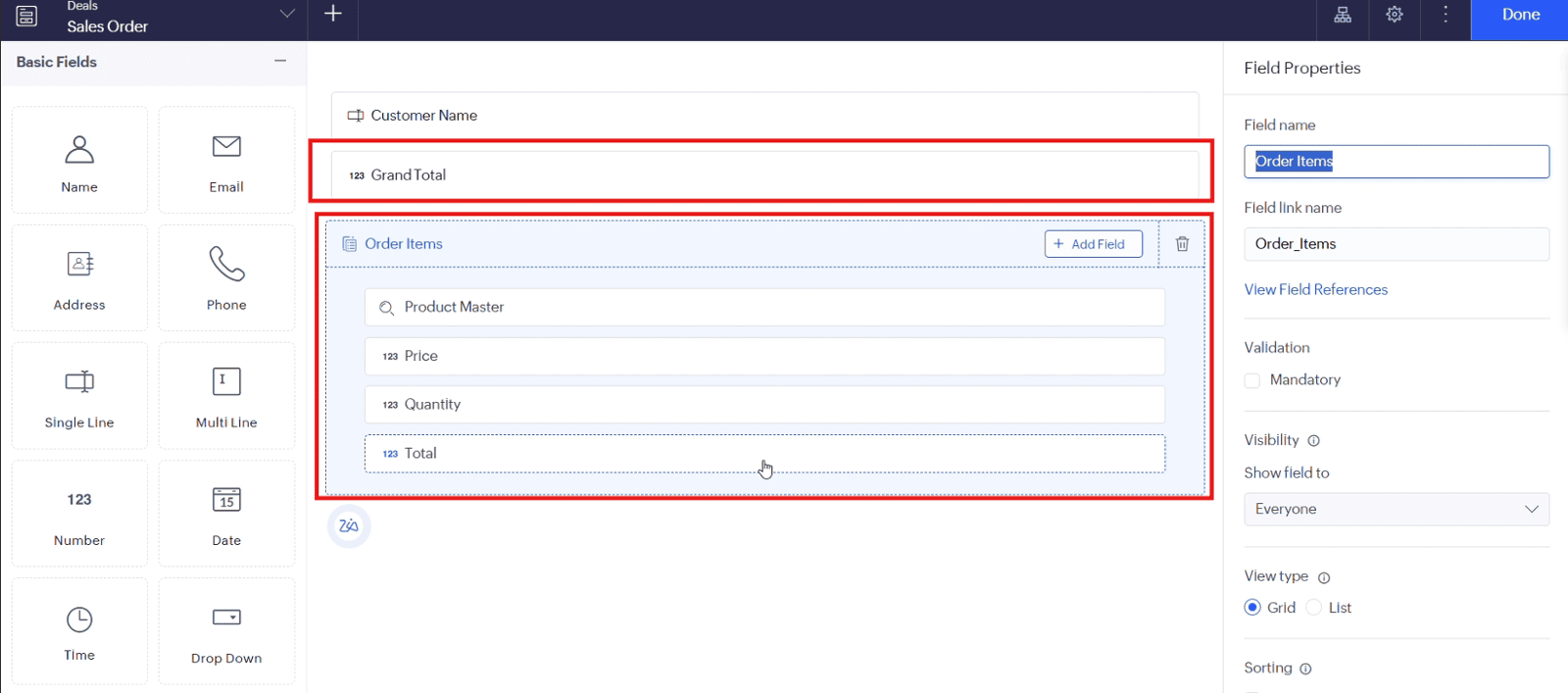
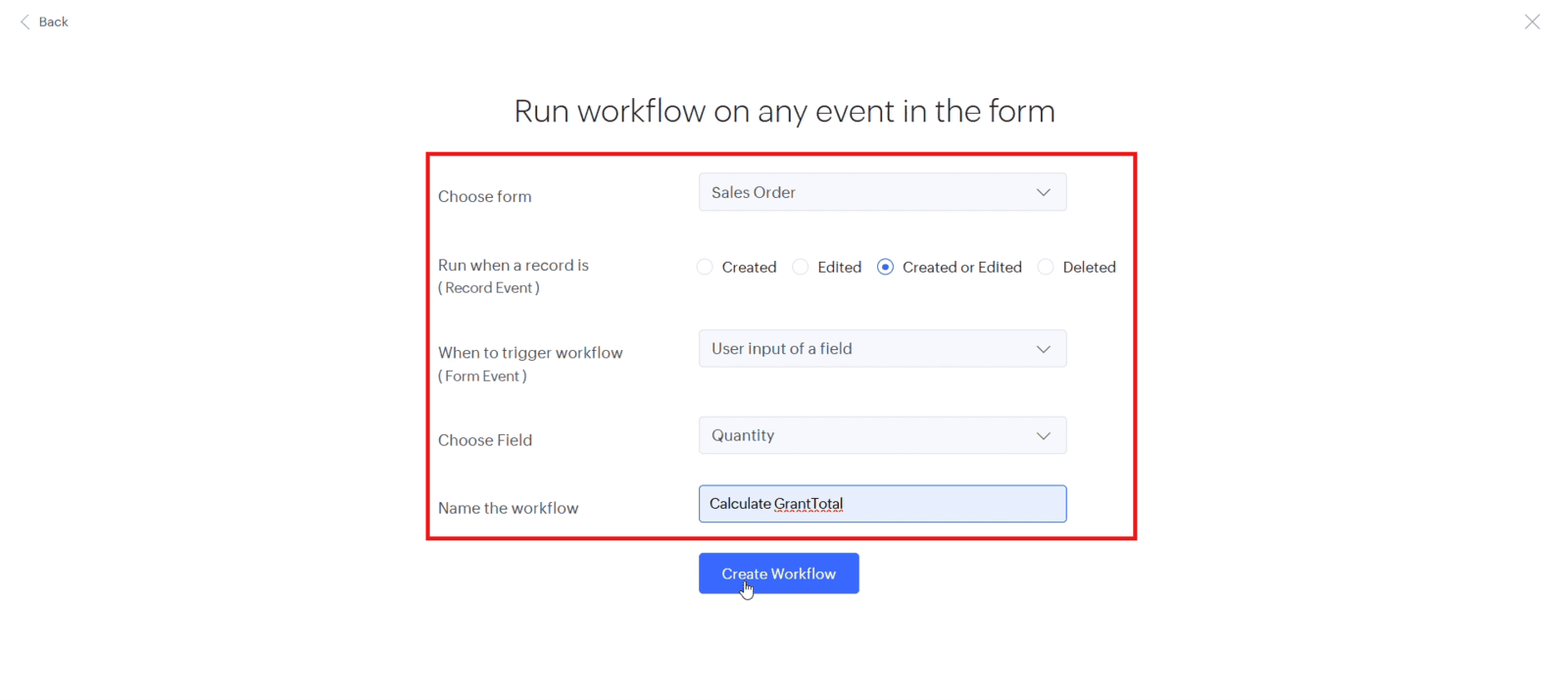
1.2 Create a workflow to calculate the Grand Total automatically when records are submitted
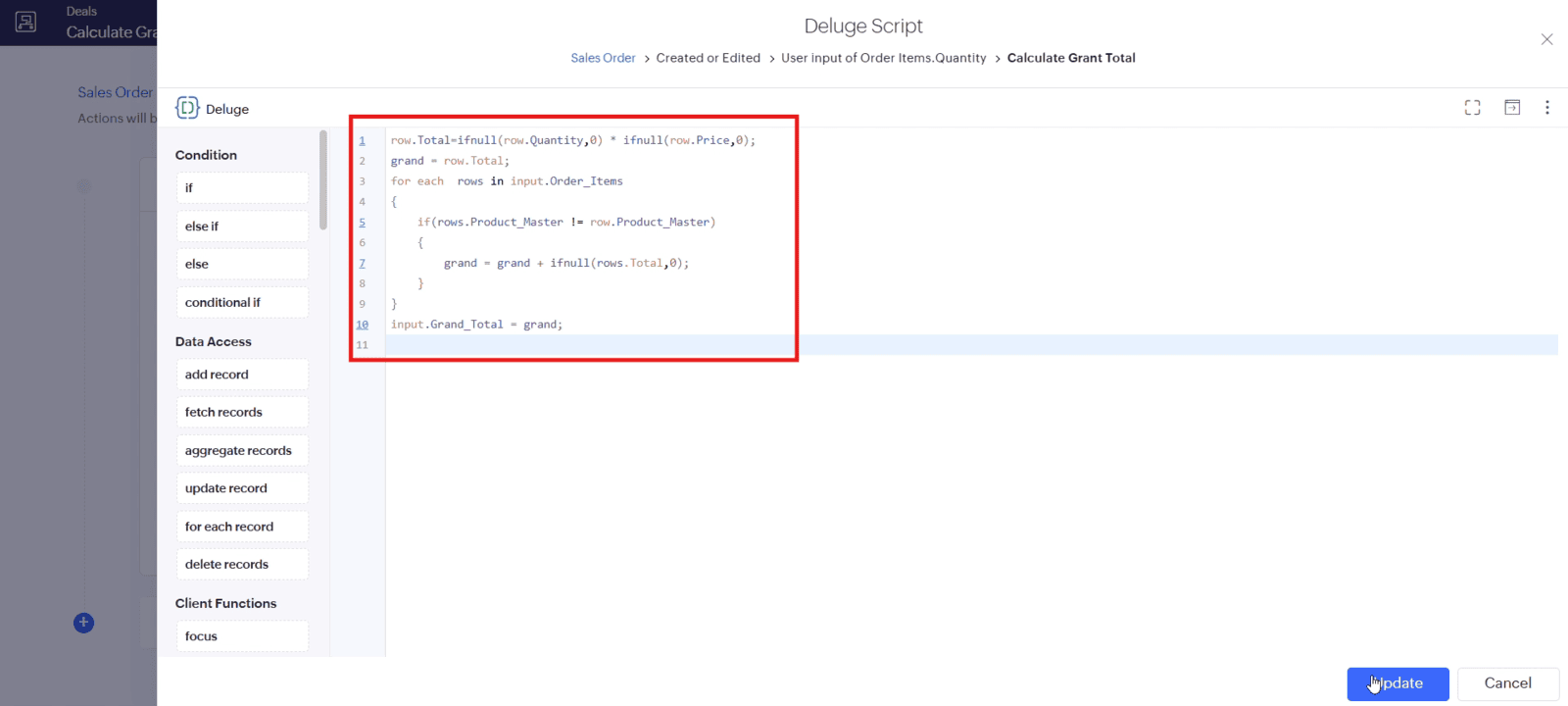
1.3 Add the calculation logic to calculate the total from the subform entries and save the workflow
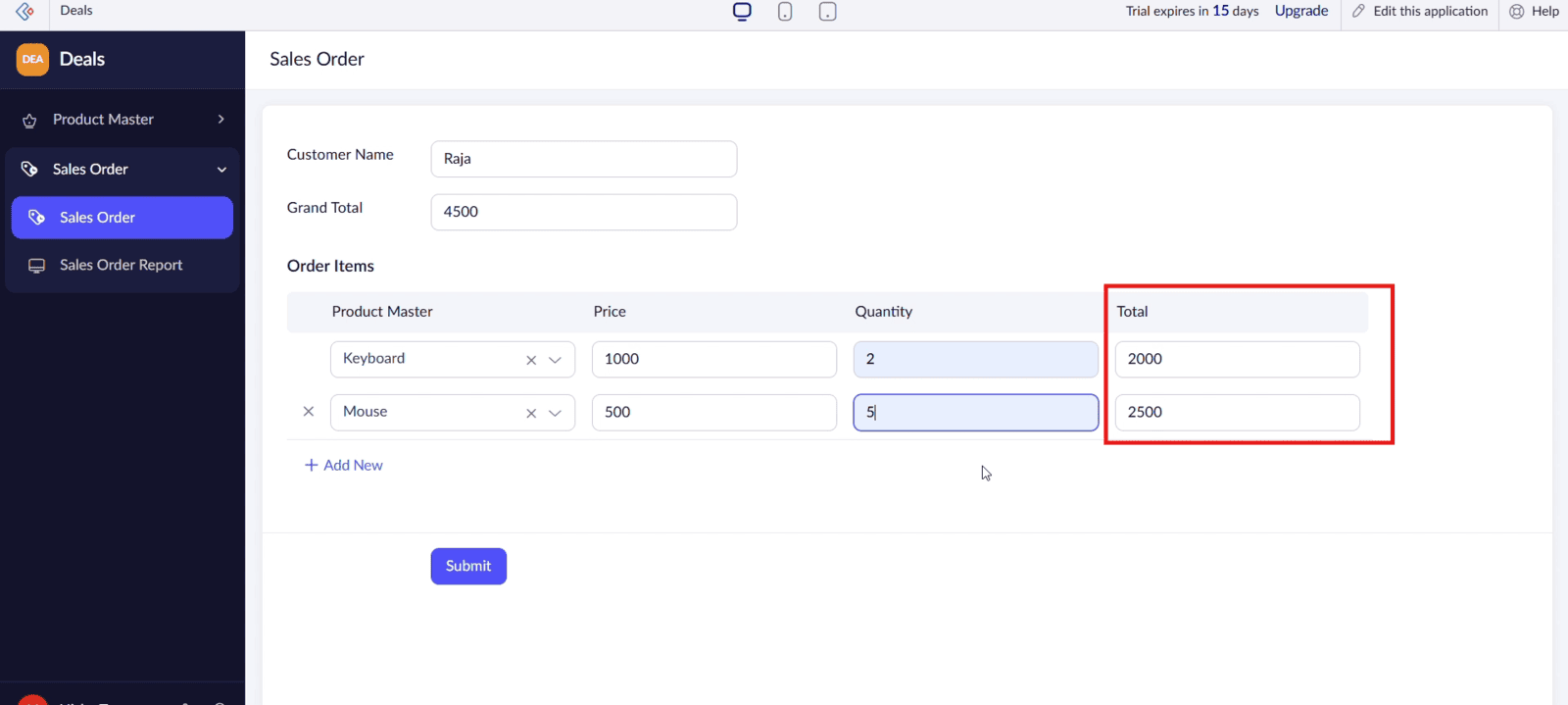
1.4 Add product entries in the subform and submit the record to verify the calculated Grand Total
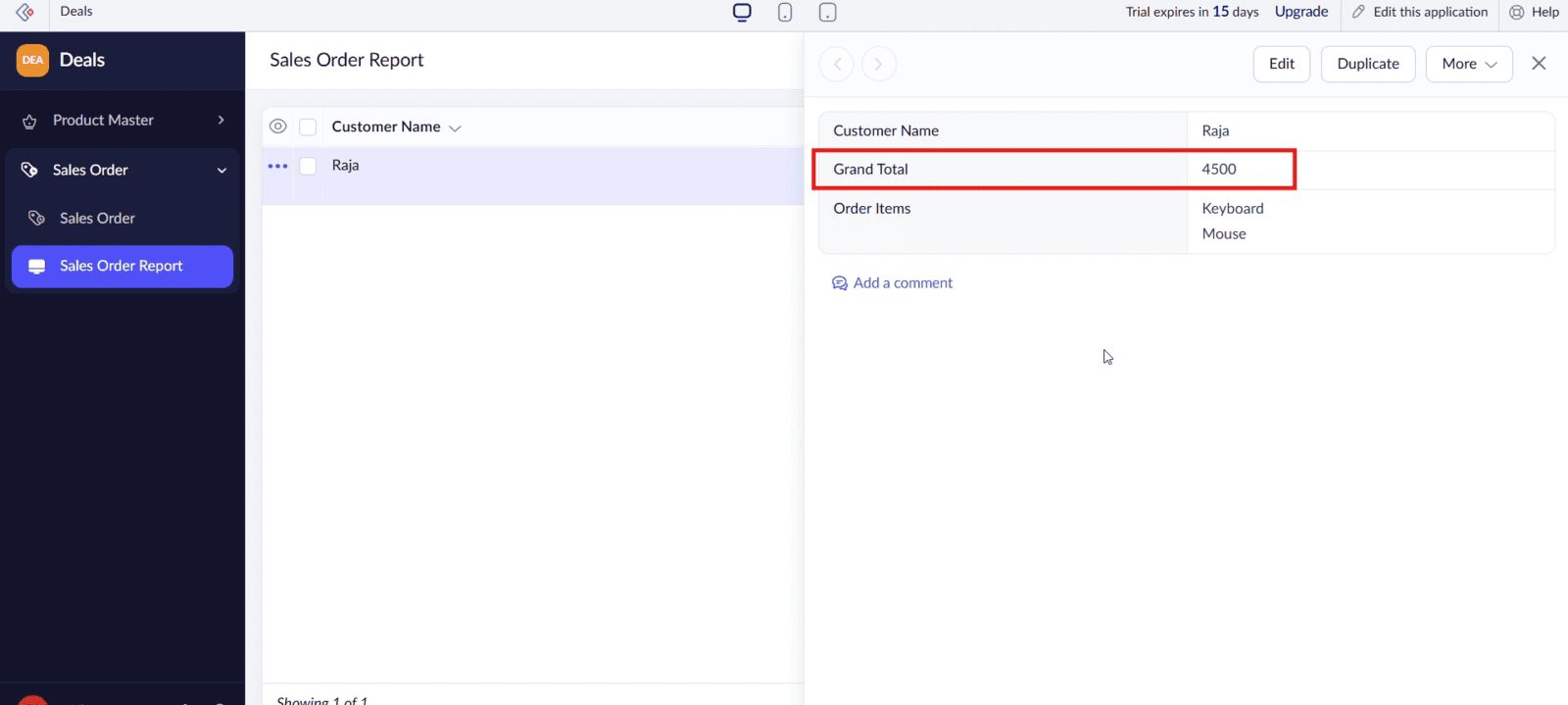
The Code Snippet is as follows
row.Total = ifnull(row.Quantity, 0) * ifnull(row.Price, 0);
grand = row.Total;
for each rows in input.Order_Items
{
    if(rows.Product_Master != row.Product_Master)
    {
        grand = grand + ifnull(rows.Total, 0);
    }
}
input.Grand_Total = grand;
Video: Auto Calculate Grand Total Using Subform
Here is the video explanation of the above steps


